


Choosing headsets for teams starts with understanding their calls, devices, and working routines. This business headset buying guide covers microphone clarity, comfort, compatibility, and charging needs, with examples from Philips TAL Series headsets to help you compare options before placing a bulk order.
“Can you repeat that?” interrupts a customer call. Nearby, a colleague keeps adjusting an uncomfortable headset, while another switches to a laptop microphone after struggling with audio settings. For the person buying equipment, these everyday frustrations raise a bigger question: will the chosen headset work comfortably and reliably across the team, or will the same problems multiply once the bulk order arrives?

Choosing corporate headsets involves more than comparing prices and specifications. An unsuitable model can lead to connection problems, uncomfortable users, and requests for replacements. These issues take time to resolve across a team. Checking how shortlisted models fit the actual devices, call environments, and wearing preferences before ordering gives buyers a clearer basis for deciding which options meet their team’s needs.
In this guide, we will walk through the key factors to evaluate, from audio performance and all-day comfort to device compatibility, so you can select the right headset with confidence before placing a bulk order.
Why Careful Evaluation Matters Before Placing a Bulk Headset Order
A bulk headset order affects how your team takes calls every day. Before choosing a model, consider which newer features would solve an existing problem, what it would cost to equip the whole team, and what employees need from a headset they will wear regularly.
Keep Up With the Latest Headset Trends
When comparing corporate headsets, look at how features such as multipoint connectivity and microphone noise reduction could improve your team’s daily calls. Multipoint is worth evaluating if employees regularly move between a laptop and a phone. Microphone noise reduction may be more relevant if customers struggle to hear staff in a shared office. Try each feature in the situations where your team would actually use it.
Protect Your Budget Before You Order in Bulk
Compare the total cost of equipping the team, including any adapters, charging accessories, or replacement ear tips you expect to need. A small trial can also uncover problems that would be costly to solve across a full order, such as a headset that pairs with a laptop but cannot mute calls as expected in the team’s calling app. Check those details before committing to a larger quantity.
Let Team Preferences Inform a Decision That Affects Everyone
Choosing headsets for teams is a decision that shapes how employees take calls day after day. When one model is rolled out across several roles, even a small fit issue can create recurring problems. Ask employees from different roles to try the shortlisted models. Someone who takes back-to-back calls may prioritize comfort after an hour of wear, while someone who frequently speaks with nearby colleagues may prefer a single-ear design. Use their feedback to decide whether one model can serve the whole team or whether some roles need a different option.
What Headset Features Does Your Team Need for Everyday Calls?
Who will wear the headset, where will calls happen, and which devices must it work with? Start by asking what makes current calls difficult. Problems with outgoing speech, listening comfort, or device connections require different checks. Turning general complaints into specific requirements helps you build a shortlist, compare feedback from representative users, and evaluate options like the Philips TAL Series before committing to a larger order.
Identify Where Calls Happen and How People Work
A person taking occasional calls from a quiet room may have different priorities from someone handling repeated conversations in a shared workspace. Ask about call frequency, typical session length, and whether users stay at a desk or move between tasks. These details show which conditions the trial needs to reproduce.
Consider the surroundings as well. Nearby conversations, ventilation, and other routine sounds can affect the call experience. A quiet demonstration will not tell you how the same setup performs during the busiest part of the working day. Choose a trial setting that reflects normal use, and record the conditions when comparing models.

Understand What Users Dislike About Their Current Setup
Ask users to describe a recent problem instead of rating their current headset as simply good or bad. Did a customer struggle to understand them? Did the earpiece become uncomfortable after several calls? Did they need to reconnect the headset before a meeting?
Then identify where the problem occurs. A microphone positioned incorrectly or an app using the wrong audio input may need a setup adjustment rather than a different product. Separating fit complaints, device settings, and performance concerns gives the buyer a clearer basis for evaluating alternatives.
Define Which Devices and Calling Apps Your Headsets Must Work With
List the phones, computers, operating systems, and calling apps each group uses. Include any adapters and note which functions employees rely on, such as muting from the headset, answering calls, or switching from a laptop meeting to a phone call.
Check the documentation for the exact model before shortlisting it. For example, if employees need to mute from the headset during a laptop meeting, confirm that the model supports that function with the team’s setup. Then verify it during the trial using the same device, app, and adapter employees use at work.
What Should You Test Before Buying Headsets in Bulk?
Compare shortlisted headsets using the same devices, similar call conditions, and consistent feedback questions. This makes differences easier to identify and helps buyers judge how each model performs during normal use before placing a bulk order.
Test Whether the Other Caller Can Understand You Clearly
A useful microphone check requires someone at the receiving end. Ask a colleague to listen while the wearer speaks at a normal volume. Begin in a quiet setting, then repeat the conversation in a representative work environment using the same device and app.
Ask whether words remain understandable, whether speech sounds muffled, and whether background conversation competes with the speaker. If the result changes with microphone position, adjust it according to the instructions and repeat the call. Specific feedback is more useful than a general “clear” or “unclear” rating because it points to what needs further checking.
Assess incoming audio too. The wearer should be able to follow the conversation comfortably. Record each direction separately so a good listening experience does not conceal poor outgoing speech.

Check What “Noise Cancellation” Means for the Exact Model
Noise-related features can address different parts of the call. Active noise cancellation generally reduces unwanted sound heard by the wearer. Microphone noise reduction addresses background sound in the audio sent to the other caller. Read the exact model description to understand the function being advertised.
Evaluate both experiences. Can the employee hear the caller comfortably, and can the caller understand the employee in the usual work environment? A headset that makes surrounding sound less noticeable to its wearer has not automatically demonstrated clearer microphone transmission. Avoid treating a feature label as a guarantee that every type of background noise will disappear.
Evaluate Comfort After the First Few Minutes
Initial comfort can change during repeated calls. Let users wear the shortlisted model for a representative session, then ask where they feel pressure, whether the headset slips, and whether they keep repositioning it. Include ordinary activities such as typing or turning toward a screen.
Ask whether adjustment resolves the issue. A user may prefer a different wearing style even when the current model is functioning correctly. Gather feedback from people with different preferences rather than making one person’s fit experience the standard for everyone.
The buying question is whether employees can use the equipment comfortably for the intended task. If people repeatedly remove it or return to another device, investigate the reason before approving a larger order.

Verify Reconnection and the Controls People Actually Use
After the initial pairing, switch the headset off and reconnect it as a user would at the start of the day. Check the microphone and speaker selections inside the calling application. Make a call to confirm that both incoming and outgoing audio use the intended device.
Then assess the controls the team relies on: volume, supported mute functions, and supported call handling. Check what happens on the connected application as well as on the headset. A physical control and an on-screen indicator may not behave identically across every setup.
If switching between devices is a requirement, confirm the model supports the intended arrangement before evaluating that sequence. Record any steps that require assistance so the purchase decision reflects the complete experience.
Match Charging Needs to the Work Schedule
Compare the published talk-time figure with the team’s calling routine. Music playback time and standby time describe different activities and should not be treated as the number of hours available for conversations. Published battery figures are estimates; actual results depend on use and settings.
For a model with a charging case, separate the headset’s own battery life from additional capacity stored in the case. A combined figure requires recharging between sessions. Consider where users can charge, which accessory they need, and whether charging would interrupt a typical session.
During the trial, note the starting charge and the type of use. This gives buyers practical context for the published rating without turning a short trial into a claim about formal battery performance.
How Can a Small Trial Help You Make a Better Decision?
Ordering corporate headsets in bulk without testing them first carries significant risk. Once packaging is opened and devices are distributed across a team, bulk orders are often difficult or impossible to refund or exchange. Because a company-wide headset rollout is a mid-to-long-term investment, making the wrong choice locks your business into years of daily frustration, ongoing IT support requests, and costly early replacements.
Price point alone is rarely a reliable indicator of performance. A higher-priced model does not automatically guarantee comfort or compatibility with your setup, while a lower-priced option quickly loses its value if poor call quality forces you to replace units prematurely. Before committing your budget, arrange a small trial with representative users in their usual working conditions. Record what works, what needs improvement, and whether each model justifies its price point for the specific groups that will use it.
Choose Participants Who Represent Different Needs
Include people from the main user groups, especially when their devices, environments, or wearing preferences differ. A trial involving one phone in one quiet room may tell you little about colleagues using a different application in a shared workspace.
Ask participants to use the headset during normal work and collect feedback while the experience is fresh. Where possible, include observations from the person receiving their calls. Keep the trial manageable by concentrating on the requirements that could determine whether the model is suitable.
Separate Essential Requirements From Preferences
Agree on essential requirements before comparing scores. Understandable outgoing speech, working audio with the required device, and an acceptable fit may be essential. Appearance or an additional listening feature may be a preference.
For corporate headsets, a high score on an optional feature should not outweigh failure in a function the team depends on. Use a simple record to keep the decision clear:
Area | Question | Evidence to record |
Call clarity | Can both people follow the conversation? | Feedback from the wearer and receiving caller |
Work environment | Does routine background sound interfere? | Call location and the sounds present |
Comfort | Can the user wear it for a representative session? | Pressure, slipping, and repeated adjustments |
Compatibility | Do audio and required controls work? | Exact headset, device, app, and configuration |
Value & Price Point | Does performance justify the unit cost? | Essential needs met vs. paid extra features |
Charging | Does charging fit the work schedule? | Accessories needed and any interruptions |
Investigate Mixed Feedback Before Approving the Order
If one participant reports clear calls while another reports problems, compare their setups. Were they using different apps? Was the microphone positioned differently? Did the issue occur in a noisier environment or after a reconnection?
Check the relevant settings and repeat that part of the trial. Mixed feedback may reveal a configuration issue, an individual fit preference, or a requirement that the model does not meet. The result may support one shared option or different models at different price points for distinct groups. Record the reason so the selection can be explained without relying on a general impression.
How to Shortlist the Right Corporate Headset Model for Your Team
When shortlisting corporate headsets, buyers typically compare leading enterprise brands like Jabra, Poly, Logitech, EPOS, and Philips, which all organize their catalogs around wearing styles, connectivity, and noise-cancellation tiers. Because baseline specs across these brands often overlap, the real challenge is finding a lineup that cleanly matches different team workflows without overcomplicating procurement. The Philips TAL Series stands out as a strong choice because it segments models clearly by comfort, call environment, and charging setup, making it easy to outfit mixed teams from one consistent range. Taking the Philips TAL Series as a reference, let’s see how you can shortlist the right model for your team.
Compare the Wearing Experience With the User’s Routine
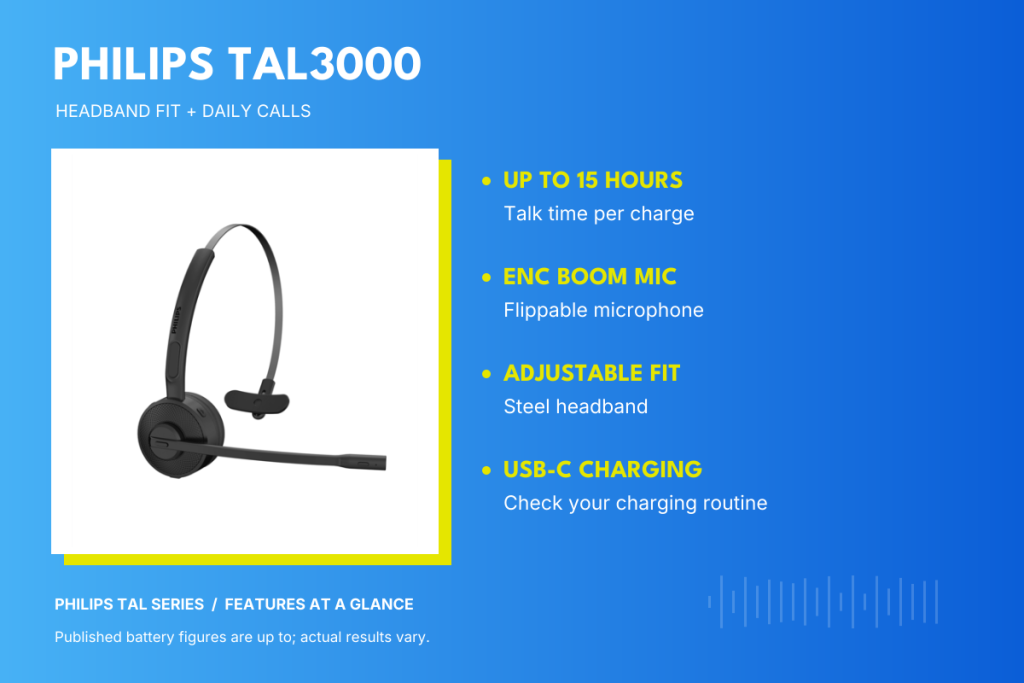
TAL3000 and TAL4000: compare wearing style and charging.
The Philips TAL3000BK/37 has an adjustable steel headband, a flippable ENC boom microphone, and up to 15 hours of talk time. It offers specific points to evaluate: headband pressure, microphone positioning, and whether charging fits the calling schedule.
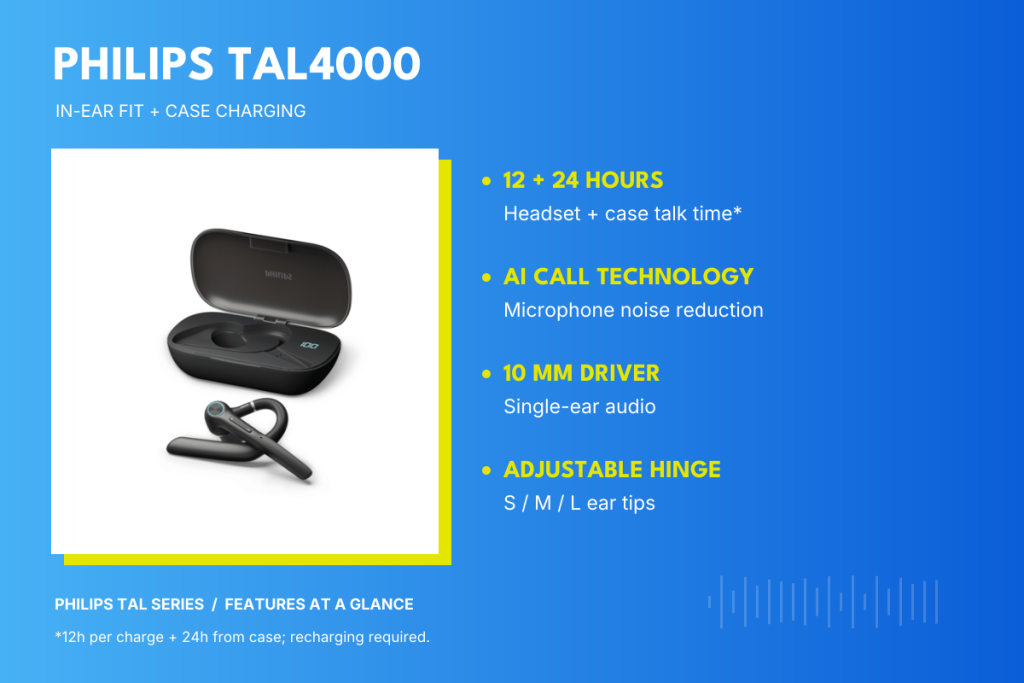
The TAL4000BK/37 provides an in-ear alternative with an adjustable hinge and charging case. Philips specifies up to 12 hours of headset talk time plus an additional 24 hours from the case. Ask users to assess the ear-tip fit and consider whether the case-based charging routine is practical between sessions.
TAL5000 and TAL7000: compare calling endurance and listening options.
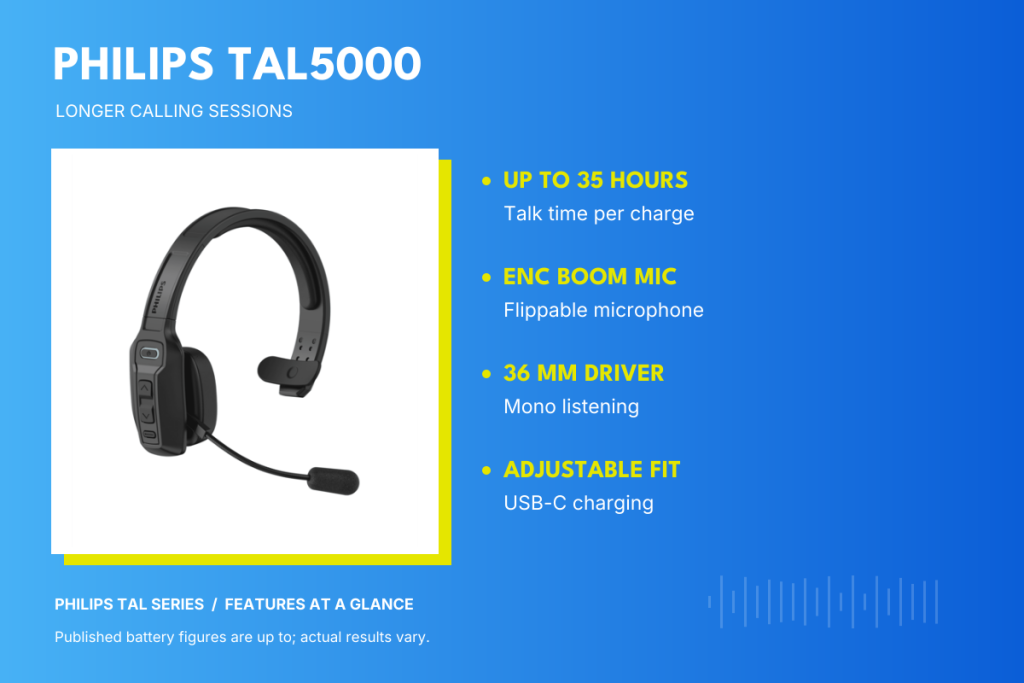
For users comparing longer published talk time, the TAL5000BK/37 lists up to 35 hours, an adjustable headband, an ENC boom microphone, and a 36 mm driver. Evaluate comfort during repeated calls alongside the battery rating.
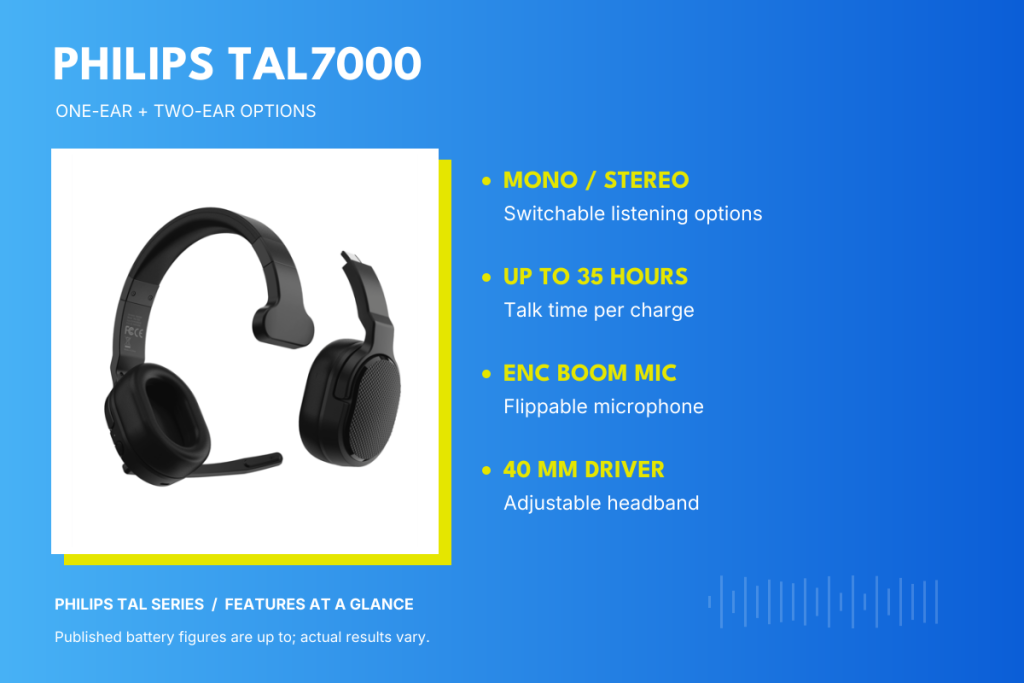
The TAL7000BK/37 adds mono and stereo listening options, with a 40 mm driver and up to 35 hours of talk time. Check whether the alternative configurations support an actual need, and review the components and instructions for the specific version.
TAL7500 and TAL7600: assess fit, controls, and finish preferences.
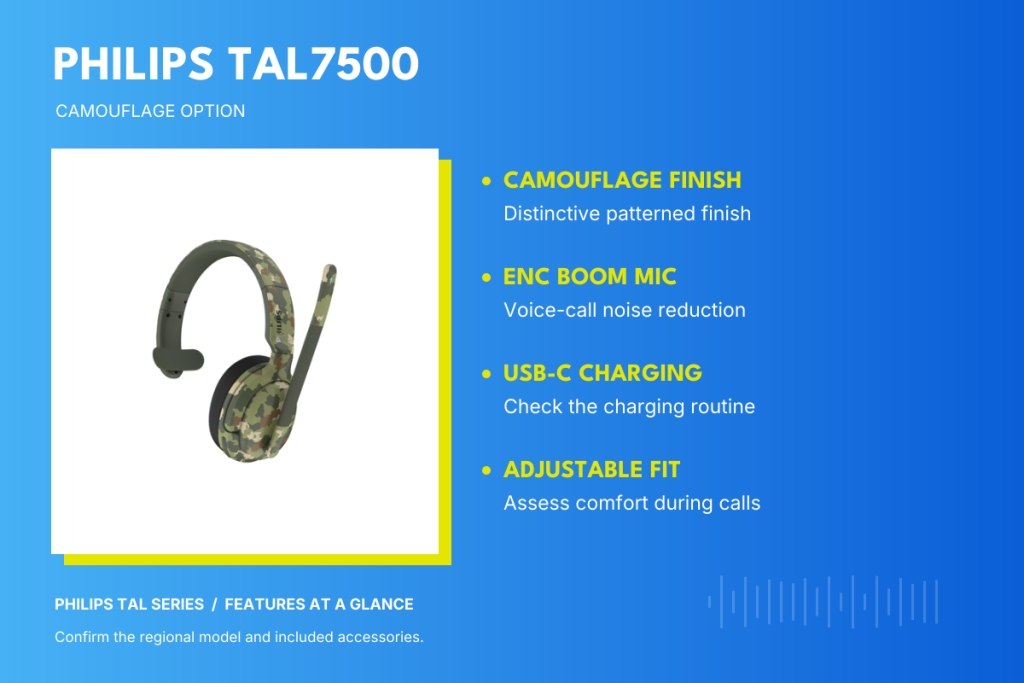
The Philips TAL7500 gives buyers another headband option to assess for calls. Its listed ENC boom microphone and USB-C charging connect directly to two practical checks: how clearly the caller hears the wearer, and whether recharging fits the workday. Evaluate headband pressure and how easily users can position the microphone. Its camouflage finish adds a visual preference to consider alongside those practical checks.
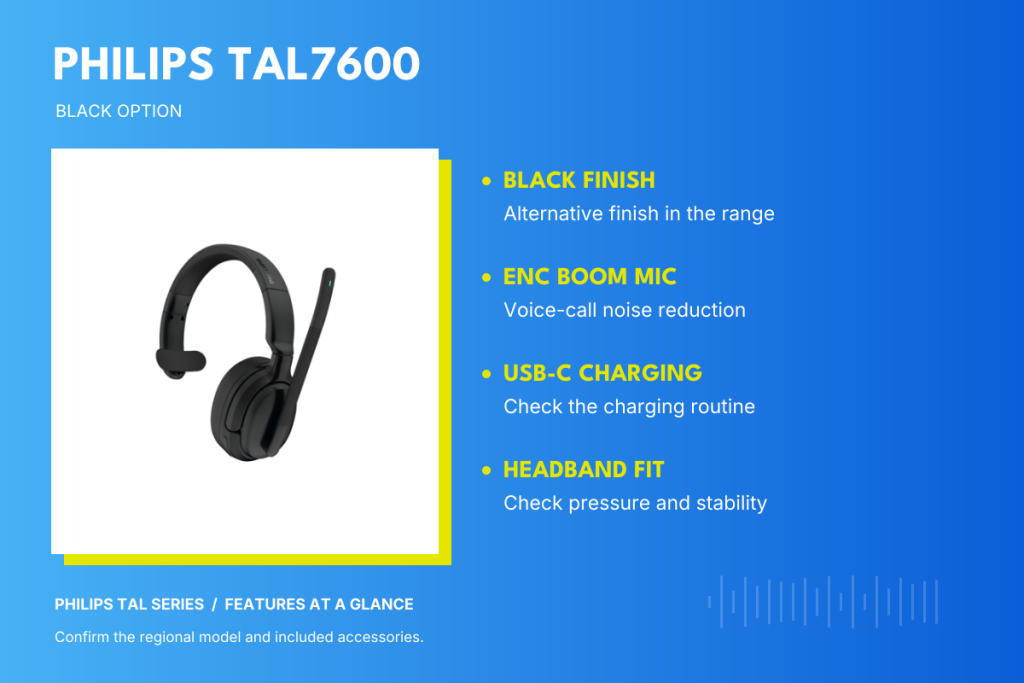
The TAL7600 provides a black-finish option to compare. Its JAACX listing identifies a mono design, an ENC boom microphone, and USB-C charging. Ask users to evaluate stability, access to controls, and the microphone’s performance on the same device and application. Treat finish as one preference within the decision; verify the model’s own specifications rather than assuming its battery or connection features are identical to TAL7500.
TAL8000 and TAL9000: review app support and noise-control needs.
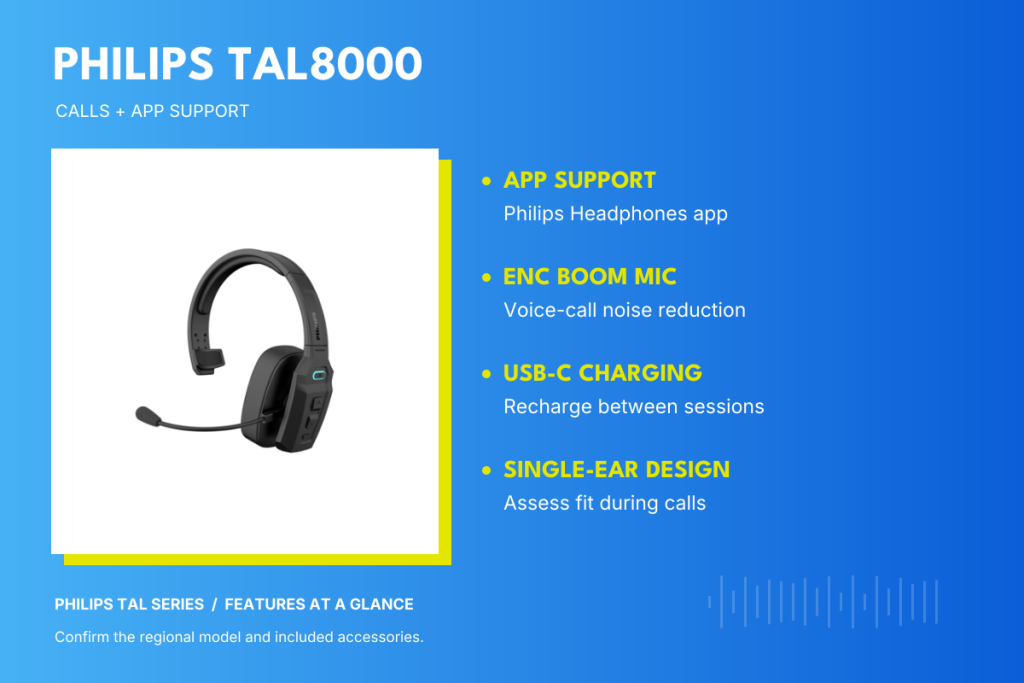
The TAL8000 combines a single-ear design with an ENC boom microphone and USB-C charging in JAACX’s listing. The Philips Headphones app also lists TAL8000 among its supported models. If app access matters to the team, check the functions actually available on the intended phone and app version. App support is an additional evaluation point; it does not establish calling-platform certification or guarantee every setting across the series.
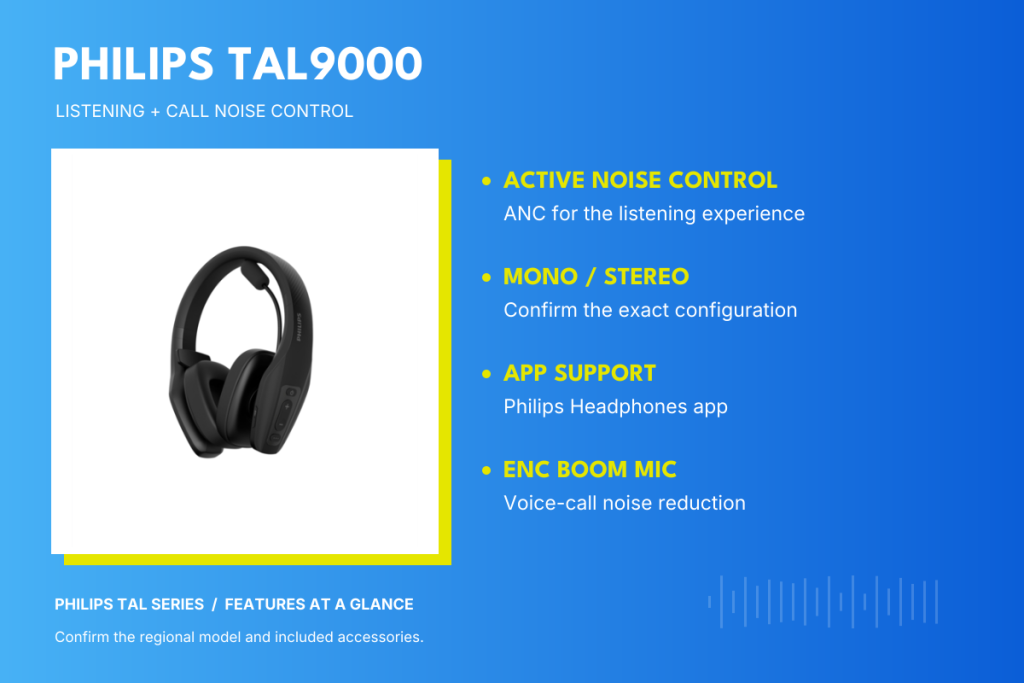
JAACX lists the TAL9000 with ANC, an ENC boom microphone, and mono/stereo listening options. TAL9000 also appears in the Philips Headphones app’s supported-model list. These features give buyers separate questions to assess: whether ANC helps the wearer follow calls comfortably, whether microphone noise reduction improves outgoing speech, and whether the listening configurations serve an actual need. Review the exact configuration and included components before choosing it for multiple users.
These examples help form a shortlist; they do not establish universal computer or meeting-app compatibility. For more context on the range, see JAACX’s Bluetooth mono headset guide.
Confirm the Model, Accessories, and Market Before Ordering
Keep the full model or order code in the buying record. Confirm the regional version, included accessories, and documentation with the supplier. The model delivered should match the configuration evaluated during the trial.
If a different variant or accessory is proposed, review whether that change affects the result. A familiar product-family name is not enough to confirm that the same setup will be supplied. Resolve these details before the quantity is finalized.
Make the Bulk Order Based on a Tested Setup
When choosing headsets for teams, base the decision on users’ needs, documented features, and trial feedback. Before ordering, confirm call clarity, comfort, compatibility, and charging needs, then check the exact model and included accessories against the setup evaluated. If the proposed configuration changes, review whether it still meets the team’s requirements before approving the bulk order.
Ordering in Bulk? Get Philips TAL Series Headsets for Your Team
For bulk orders of Philips TAL Series headsets, order directly through JAACX to get a competitive quote. Share your shortlisted models, quantities, and delivery location so the team can confirm availability and pricing. For smaller orders, visit the Where to Buy page to find a convenient retailer.
0 Comments