



Choosing a Bluetooth mono headset for work calls means considering how it fits into your day. Explore five essential features, from microphone performance and comfort to battery life, device compatibility, and call controls, with examples from the Philips TAL Series for office and on-the-go use.
A workday can involve a team meeting at your desk, a client call from home, or a quick conversation between appointments. Wherever you take those calls, you want to hear clearly and be heard without having to hold your phone throughout the conversation.
Yet small frustrations can get in the way. The person on the other end may struggle to hear you over nearby conversations. A headset may start pressing against your ear during a longer meeting, or a low-battery alert may arrive when you still have several calls ahead.

Choosing a Bluetooth mono headset means thinking about how you work: where you take calls, which devices you use, and how long you usually wear it. A single-ear design can be convenient, but microphone performance, fit, and everyday operation also deserve attention.
In this guide, we’ll explore five essential features to consider before buying: microphone performance, comfort, talk time, device compatibility, and call controls. We’ll also look at options within the Philips TAL Series to help you understand how different features could fit your working day.
What Is a Mono Headset, and When Is It Useful?
A mono headset combines one earpiece with a microphone for hands-free conversations. Unlike a two-ear headset, a single-ear headset leaves the other ear uncovered.
It can suit sales staff, customer-service teams, supervisors, and mobile professionals who type notes or remain available to colleagues while speaking. Drivers may use one where permitted, but an uncovered ear does not guarantee awareness or remove distraction. Set up before departure and stop somewhere appropriate when a call needs your attention.
Consider whether you need to hear nearby colleagues during calls or prefer both ears covered for other listening. A mono design can fit the first situation, while a convertible model may offer another option. Your working environment should guide that choice.
Taking Calls at Your Desk and on the Go
Think about the calls you make most: a shared office, back-to-back meetings, or conversations away from a charging point. Each setting can change what matters in everyday use.
Being Heard Clearly Wherever You Work
Nearby conversations, office equipment, wind, and traffic can compete with your voice. If callers keep asking you to repeat yourself, check microphone placement and outgoing audio rather than simply raising your listening volume.
Listening clearly and being heard clearly are separate needs. A headset may deliver clear incoming sound while its microphone still picks up unwanted background noise. Ask someone to listen to a sample call before deciding whether your current setup needs changing.

Staying Comfortable Through Repeated Calls
A headset that feels fine briefly may create pressure during longer meetings. Check whether it stays comfortable when you turn your head, look down, or move between tasks.
Notice small interruptions: adjusting the earcup, moving the microphone back into place, or removing the headset between calls because of pressure. These can help you identify which aspects of fit deserve attention when comparing alternatives.
Keeping Your Headset Ready Throughout the Day
Check the devices you use for calls and when you can recharge. A convenient charging routine and reliable setup matter as much as a long feature list.
5 Things to Check Before Choosing a Bluetooth Mono Headset
When comparing a headset for work calls, assess these five areas together.
1. Microphone Performance and Noise Reduction
A noise-canceling microphone helps reduce unwanted sound sent to your caller. Position a boom microphone according to the instructions, without letting it rub against your face or clothing.
ENC describes microphone-side noise reduction. ANC reduces unwanted sound heard by the wearer. One does not automatically include the other, and neither removes every sound.
Make a test call in your usual workspace and ask how clearly the other person hears you.
Include the sounds you encounter regularly in your test, such as nearby conversation or a fan. Ask whether your words remain understandable and whether your voice sounds natural. Noise-reduction labels are useful starting points, but a practical call test helps you assess the result.

2. Comfort and Fit During Longer Calls
Headband and in-ear designs distribute pressure differently; neither suits everyone. Try the headset with glasses or anything else you normally wear.
Check headband adjustment, ear-cushion pressure, and microphone stability. For an in-ear model, follow the supplied fitting guidance. Allow enough time to notice discomfort rather than judging the fit in a few seconds.
Also consider how you put the headset on and take it off between conversations. If you share a workstation or frequently move between rooms, adjustments should be straightforward. Weight alone cannot tell you how comfortable a model will feel; the contact points matter too.

3. Talk Time and Charging Options
Compare talk time rather than treating music playback or standby figures as hours available for calls.
With a charging case, separate the headset’s battery life from extra capacity stored in the case. Combined figures require recharging between sessions, not continuous use from one charge.
Consider where you will recharge and which cables, docks, or cases are included. Actual battery life varies with use and settings.
Think in terms of your actual schedule. Several short calls spread across a day create different charging opportunities from a long meeting followed by another. Check the battery before leaving your desk and allow time to recharge, rather than relying on the maximum published figure.
4. Compatibility With Your Phone and Computer
Check compatibility with your phone, computer, and calling applications. On a computer, select the headset as both speaker and microphone, then test a call.
Where supported, multipoint keeps the headset connected to more than one device. This differs from remembering previously paired devices and does not necessarily allow simultaneous calls.
Bluetooth version alone does not confirm multipoint or full meeting-control integration. Check the exact model’s instructions.
If you alternate between a laptop meeting and a phone call, try that sequence during setup. Check how you select the active device and return to the original conversation. This helps you understand the workflow before depending on it during a busy day.
5. Call Controls You Can Use Easily
Try answering and ending calls, adjusting volume, and muting where supported. Buttons should be easy to find during a conversation.
Check the model’s button guide: short and long presses may do different things. Rotating a microphone does not automatically mute it. Test controls with your usual calling application before an important meeting.
Consider whether you can identify the volume and call buttons by touch. If you frequently mute while listening to a meeting, confirm that the model supports the action you need and check the application’s mute indicator. Familiar controls can reduce interruptions during everyday conversations.

How Philips TAL Headsets Fit Different Working Routines
The Philips TAL Series includes headband and in-ear designs with different charging and listening options. Compare these differences with your routine, and confirm the regional model and included accessories before buying.
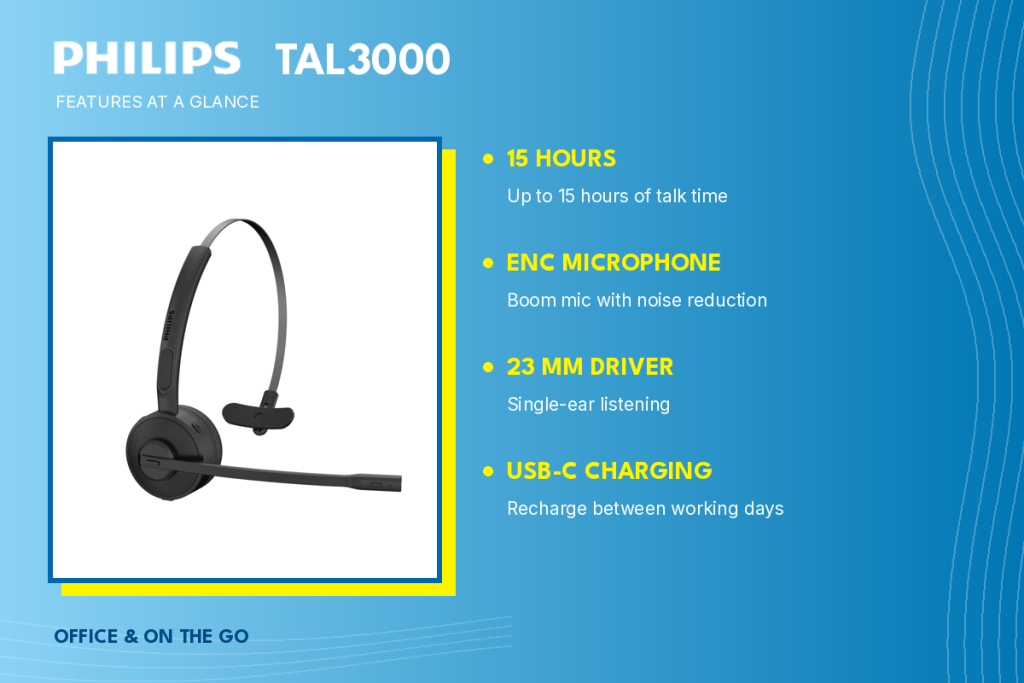
TAL3000: Adjustable Fit and Desk Charging
The Philips TAL3000 combines an adjustable steel headband, a flippable ENC boom microphone, and up to 15 hours of talk time. USB-C charging and a dock charging option may suit a regular workstation; confirm whether the dock is included in your package.
Check the headband fit and microphone position before longer calls.
For someone who returns to the same desk between calls, a regular charging position can make the headset easier to keep ready. Compare that convenience with how often you leave your workstation and whether you prefer carrying a cable.
TAL4000: A Compact In-Ear Design With a Charging Case
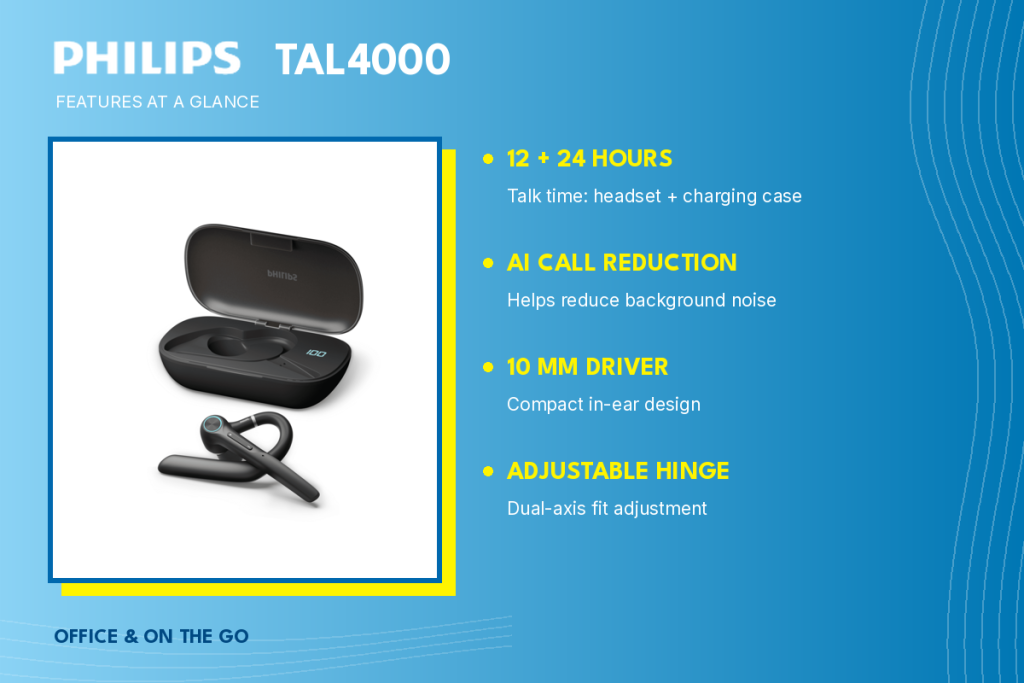
The Philips TAL4000 offers an in-ear alternative with a dual-axis adjustable hinge, AI call-noise reduction, and a 10 mm driver.
Philips lists up to 12 hours of headset talk time, plus 24 additional hours through case recharges. This is not 36 hours of continuous calling. Check ear-tip comfort and stability before choosing this style.
The case may be useful when you move between appointments and have breaks between conversations. Remember that using its reserve capacity means placing the headset inside to recharge. Plan those pauses around your calls rather than treating the combined figure as uninterrupted use.
TAL5000: Longer Talk Time Between Charges
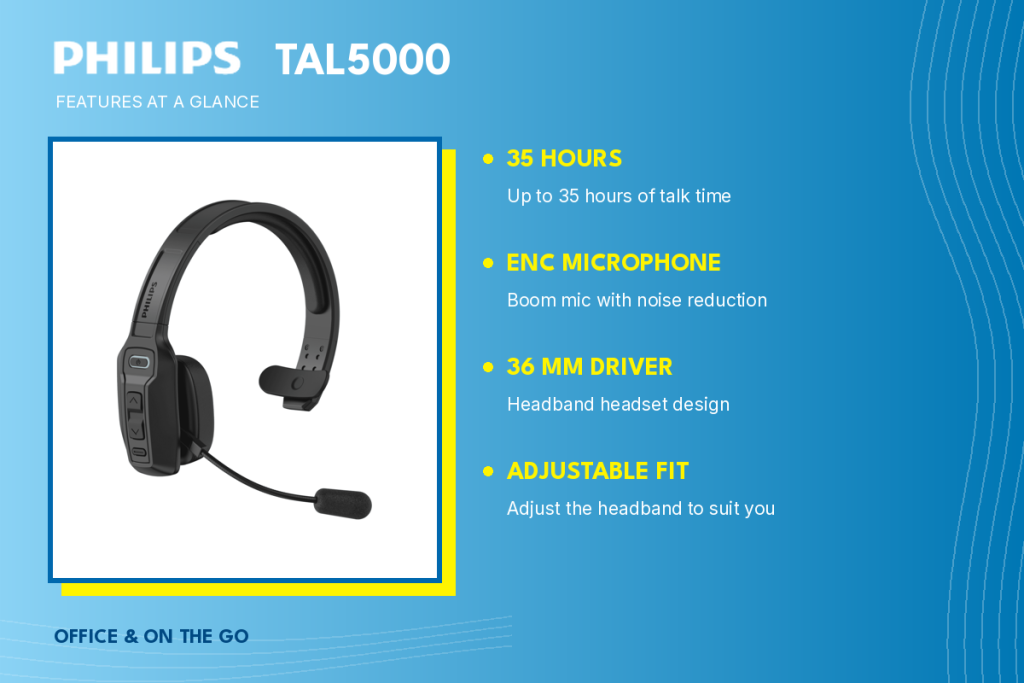
The Philips TAL5000 offers up to 35 hours of talk time, an adjustable headband, an ENC boom microphone, and a 36 mm driver.
Its published talk time may help if calls fill much of your day, but assess comfort and controls alongside battery life.
Compare its fit with the TAL3000 rather than choosing on battery figures alone. A longer published rating may reduce charging frequency, but the headset still needs to sit securely and feel manageable when you reach for the controls.
TAL7000: Mono and Stereo Listening Options
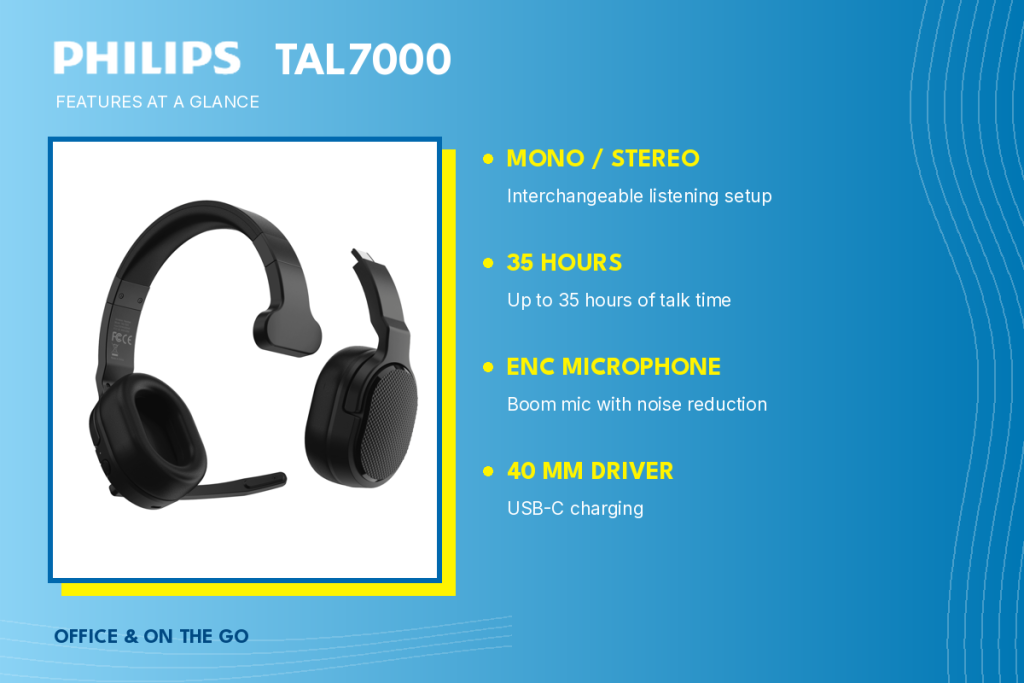
The Philips TAL7000 offers interchangeable mono and stereo configurations, an ENC boom microphone, a 40 mm driver, and up to 35 hours of talk time.
This flexibility may suit calls followed by two-ear listening at your desk. Confirm the included components and how the second earcup attaches.
Before choosing a convertible design, think about when you would actually switch configurations. If your routine is almost entirely voice calls, a simpler single-ear setup may already meet your needs. The extra option is useful when it fits a real listening preference.
TAL7500: Features for Calls Across the Working Day
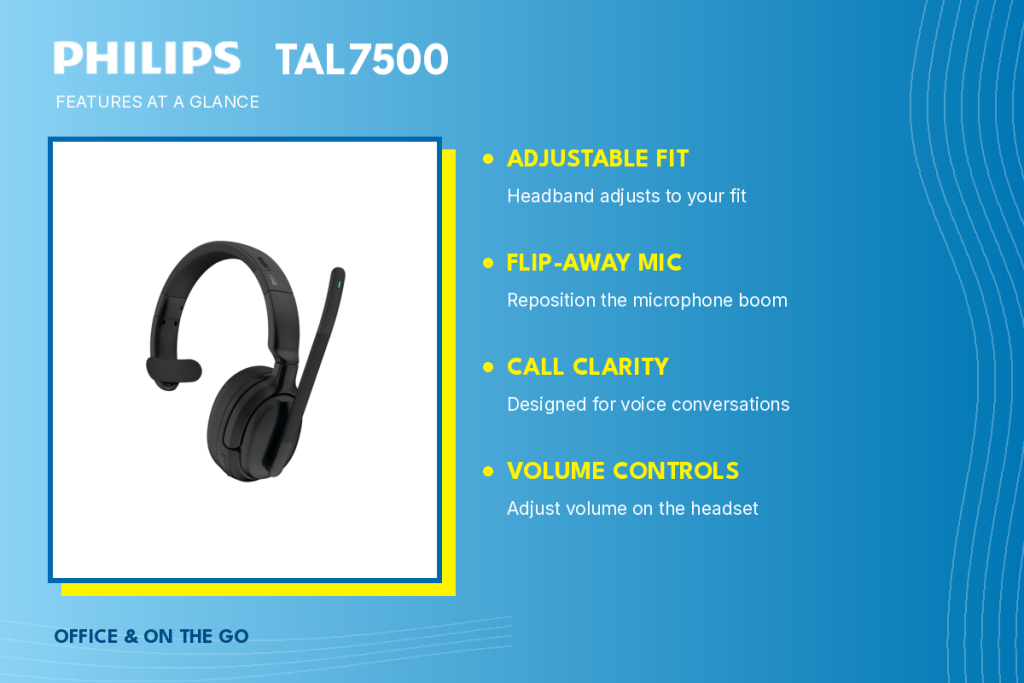
The Philips TAL7500’s manufacturer quick-start guide shows an adjustable headband, a flip-away microphone, and headset volume controls.
These are practical features to try during repeated calls. Confirm battery life and any mono/stereo capability for the regional version, as published listings differ.
TAL7600: A Camouflage Design for Mobile Work
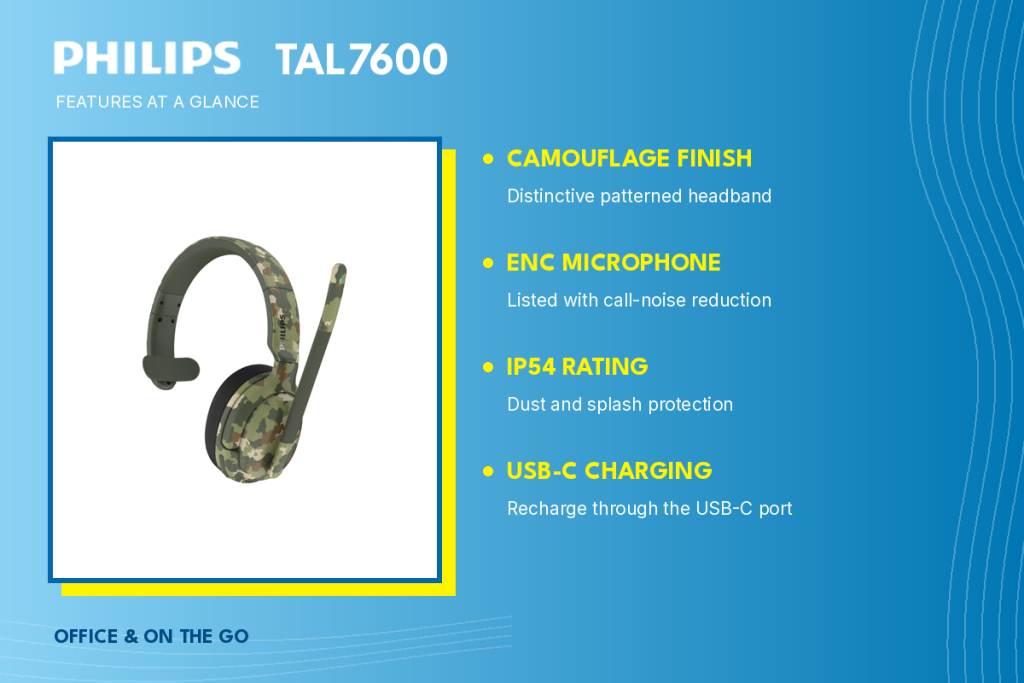
The Philips TAL7600 brings a camouflage finish to the range. JAACX lists an ENC boom microphone, IP54 protection, and USB-C charging.
Check the fit and microphone position for work between locations. Confirm the regional specifications, talk time, and configuration with JAACX before buying; these details are not independently confirmed here.
TAL8000: Adjustable Fit and App Support
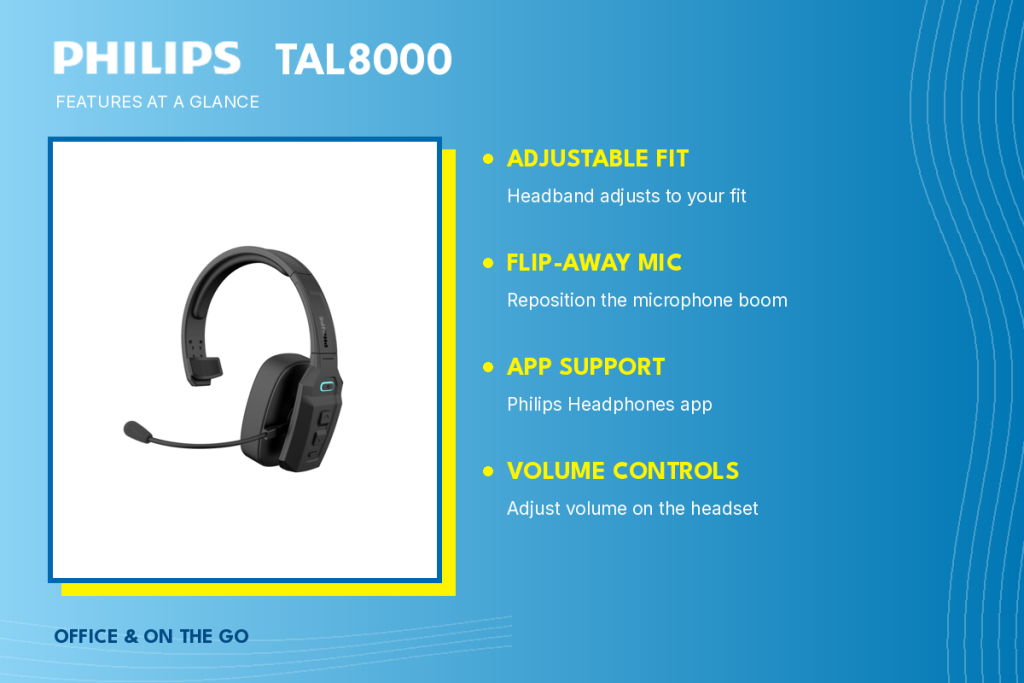
The Philips TAL8000’s manufacturer guide shows an adjustable headband, flip-away microphone, volume controls, and Philips Headphones app support.
Check which app functions work with your device. Published battery figures differ across sources, so confirm the relevant talk-time rating rather than relying on a single listing.
App support should complement a straightforward everyday setup. Consider whether you want to manage supported settings from your phone, then check the model instructions for the functions available. Do not assume the app replaces testing the connection and controls on your computer.
TAL9000: ANC and Flexible Mono/Stereo Listening
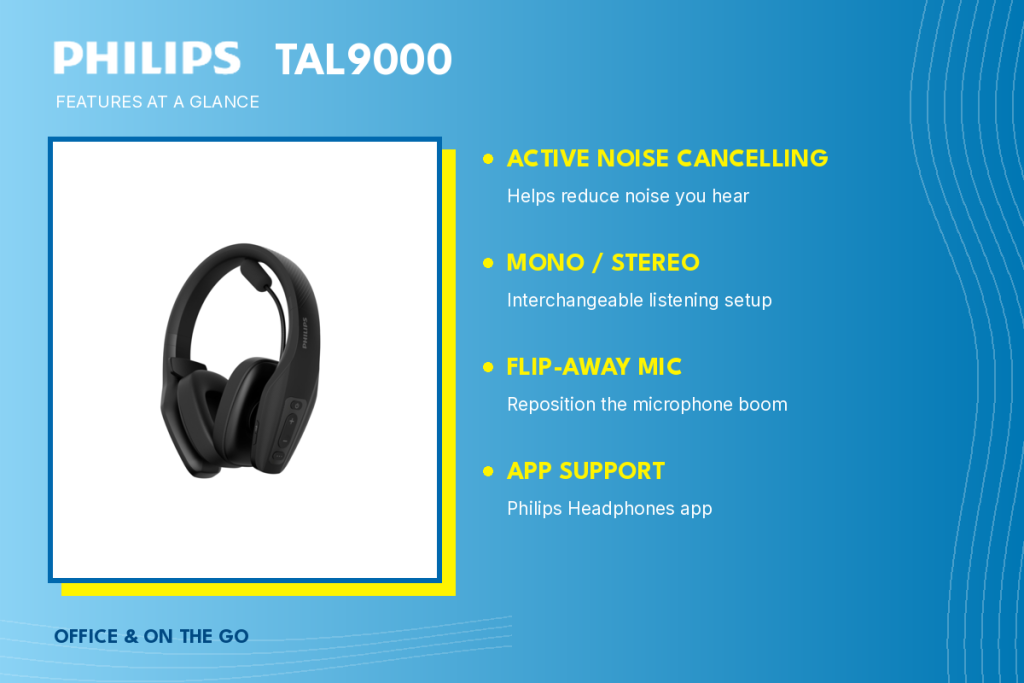
The Philips TAL9000 offers ANC, interchangeable mono/stereo listening, a flip-away microphone, and Philips Headphones app support.
ANC addresses surrounding sound you hear; microphone noise reduction addresses audio sent to your caller. Choose a configuration suited to your surroundings. Confirm regional talk-time and music-playback ratings separately, as published figures differ.
Philips TAL Series at a Glance
Use this summary to compare designs and charging options. Confirm regional specifications and package contents before purchase.
Model | Wearing Style | Microphone / Noise Control | Talk Time | Charging | Configuration |
|---|---|---|---|---|---|
TAL3000 | Adjustable steel headband | ENC boom mic | Up to 15 hours | USB-C / charging dock | Mono |
TAL4000 | In-ear with adjustable hinge | AI call-noise reduction | Up to 12 hours + 24 hours from case | Charging case / USB | Mono |
TAL5000 | Adjustable headband | ENC boom mic | Up to 35 hours | USB-C | Mono |
TAL7000 | Convertible headband | ENC boom mic | Up to 35 hours | USB-C | Mono / stereo |
TAL7500 | Adjustable headband | Flip-away mic | Confirm regional rating | USB-C | Confirm configuration |
TAL7600 | Camouflage headband | ENC boom mic | Confirm regional rating | USB-C | Confirm with JAACX |
TAL8000 | Single-ear headband | ENC boom mic | Confirm regional rating | USB-C | Mono |
TAL9000 | Convertible headband | ENC boom mic; ANC for listening | Confirm regional rating | USB-C | Mono / stereo |
Choose Around the Calls You Make Most
Start with where you take calls, which devices you use, and how long you wear a headset. At a desk, comfort and computer compatibility may lead your choice. Between locations, secure fit, storage, and charging access also matter.
Compare microphone performance, comfort, talk time, compatibility, and controls together.
Explore the mono headset range for individual models. Visit Where to Buy for retailer options, or contact JAACX Distributors about team requirements, bulk orders, and specifications.
For a closer look at individual features, visit the official Philips TAL3000 product page.
0 Comments